Add an existing LeadTruffle account to an Agency account
Intro
Step 1: Get the Code
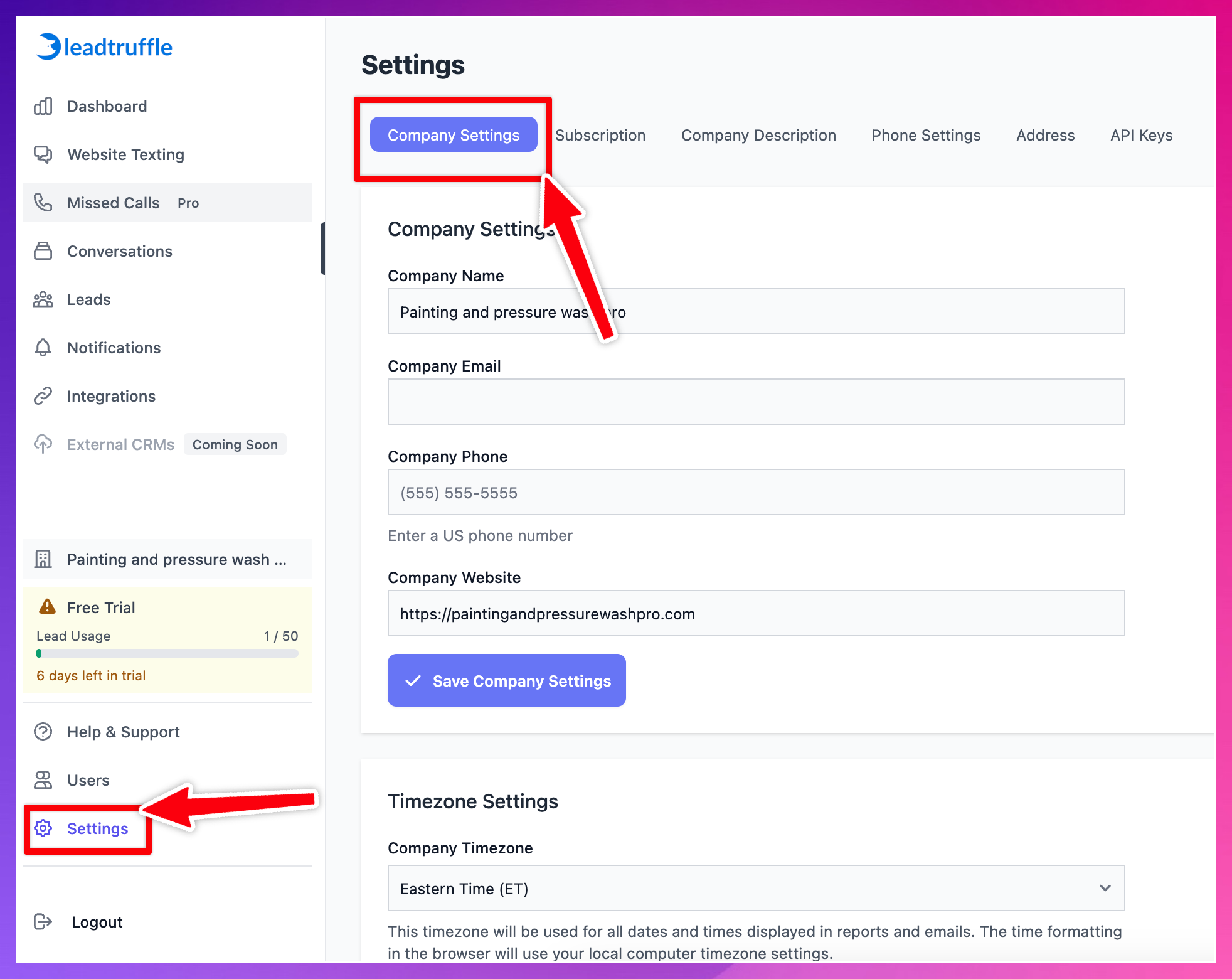
- Head to Company Settings in the Settings tab in the desired Company Account
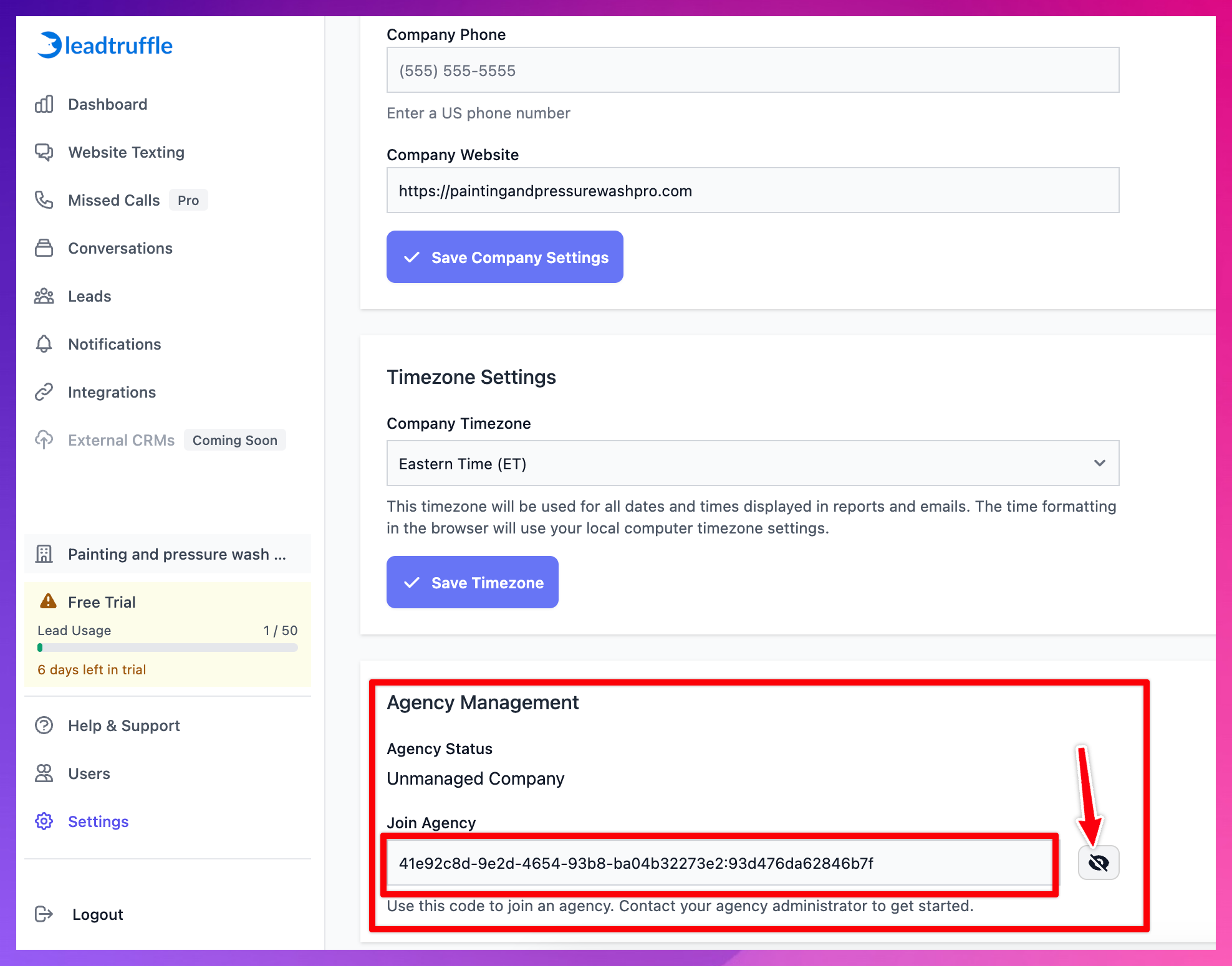
2\. Scroll down to Agency Management, then reveal and copy the "Join Agency" code
Step 3: Enter the code in the Agency Portal
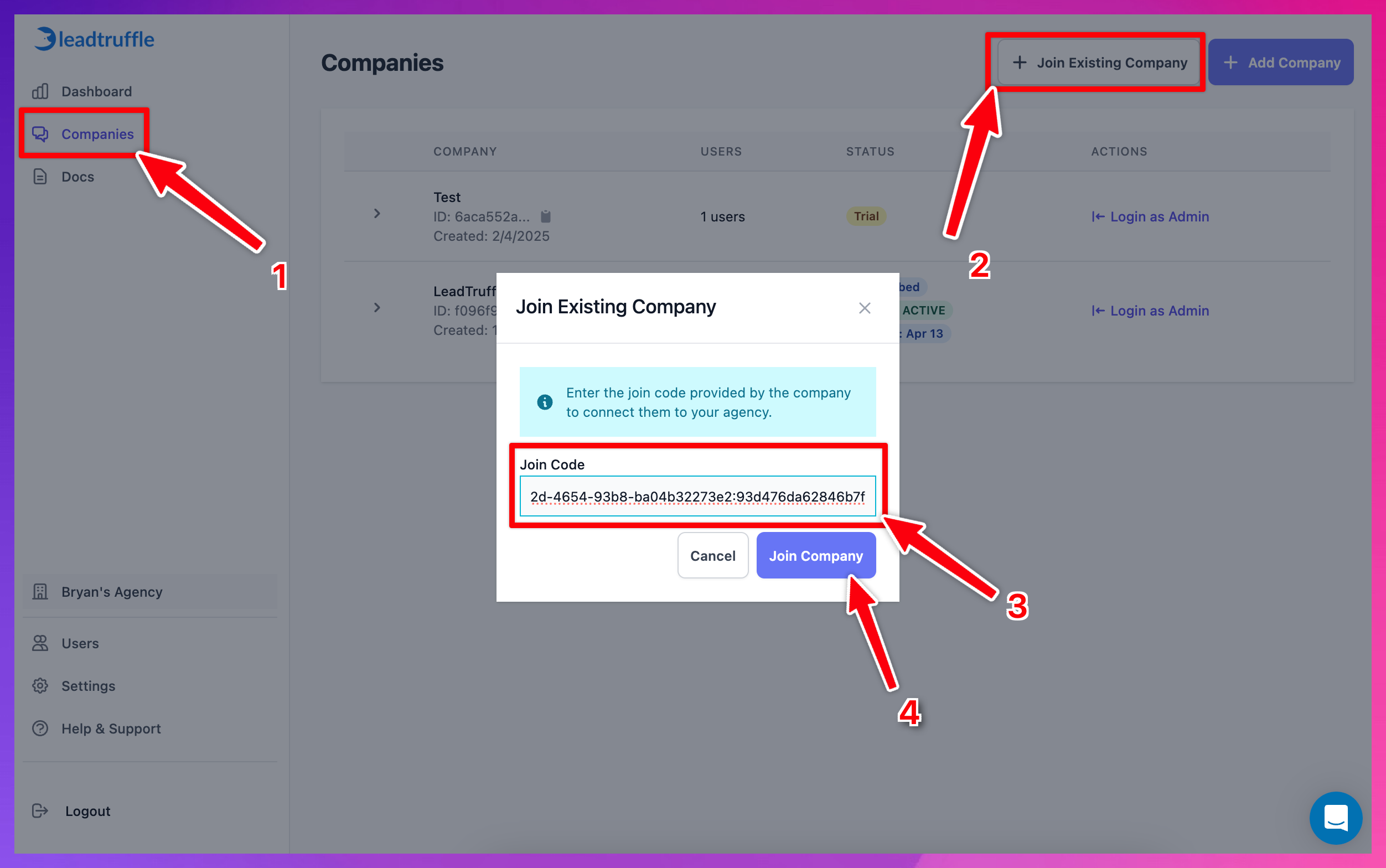
- Head to your Agency Portal
- Click "Companies"
- Click "+ Join Existing Company"
- Past the code in "Join Code"
- Click "Join Company"
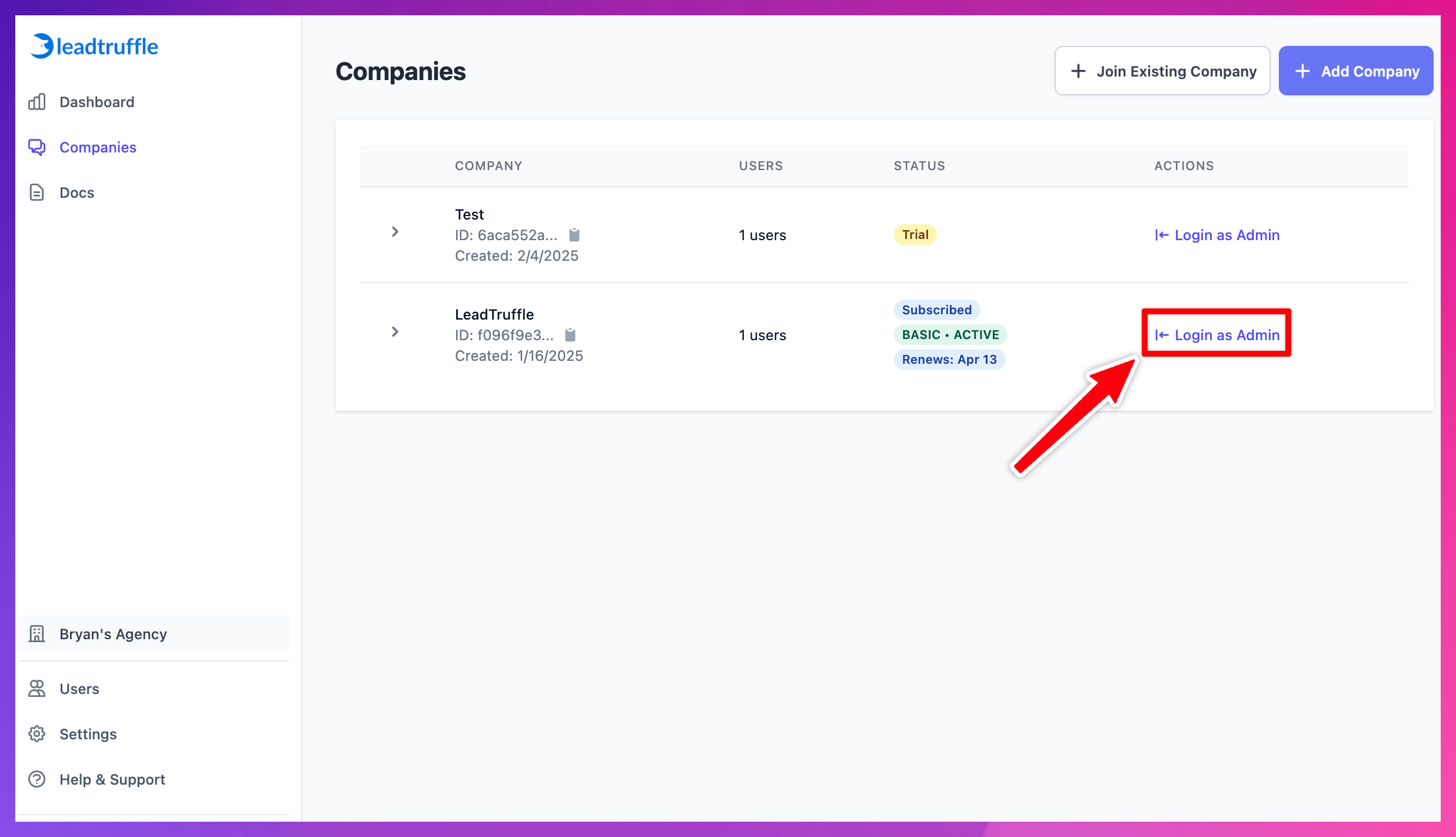
If done correctly, you should now see the Comapny Account listed in your Companies, and you can easily log in using the "Login as Admin" button:
Updated on: 02/04/2026
Thank you!